OwlPlot Stacker · for Mac and Windows
One clean Milky Way
from a night of frames.
Shoot 10–20 frames of the sky over a great foreground. The Stacker aligns the stars, averages away the noise and holds the trees perfectly still. Everything happens on your computer: no account, no uploads.
Picking
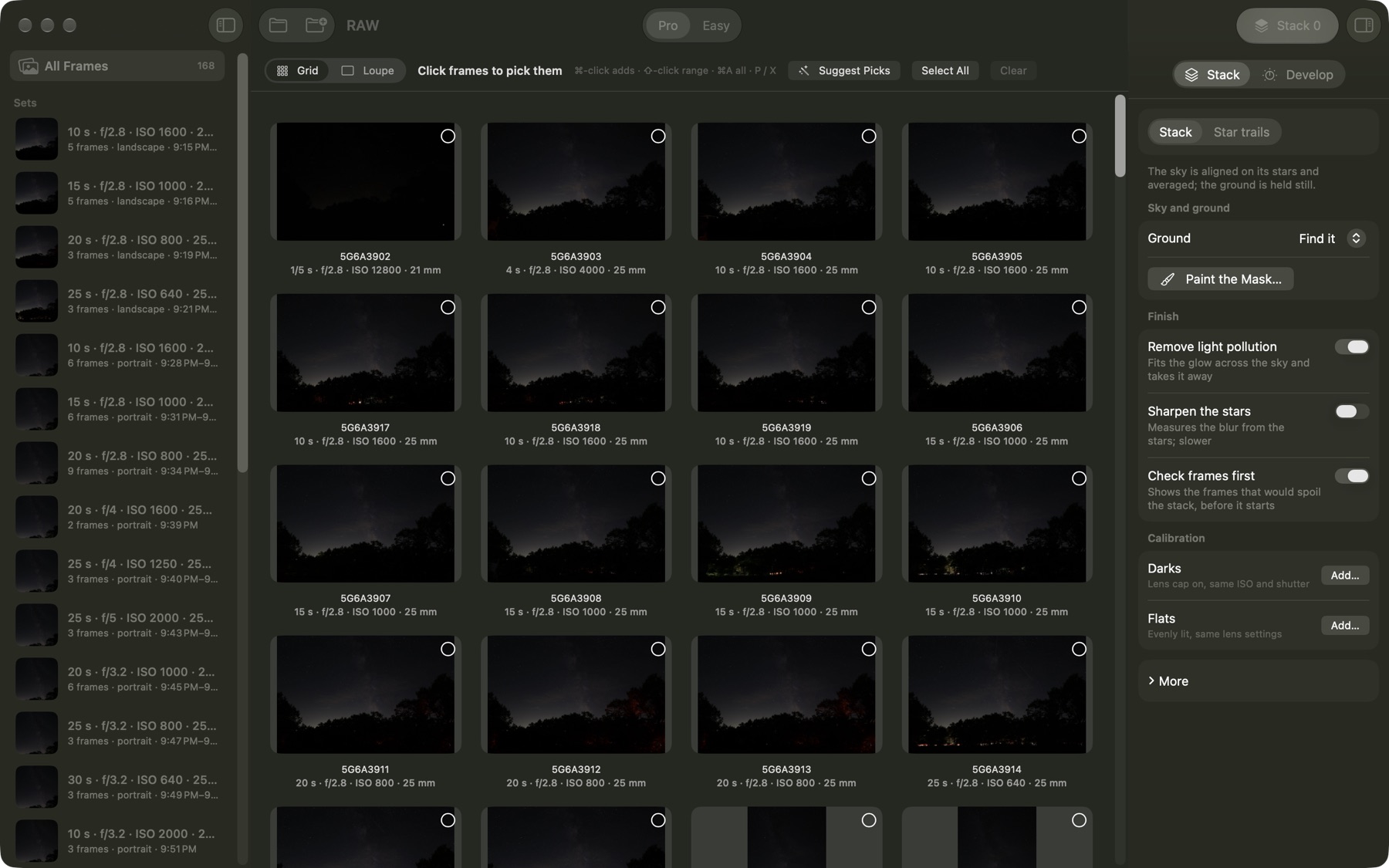
Choose the frames, or let it choose
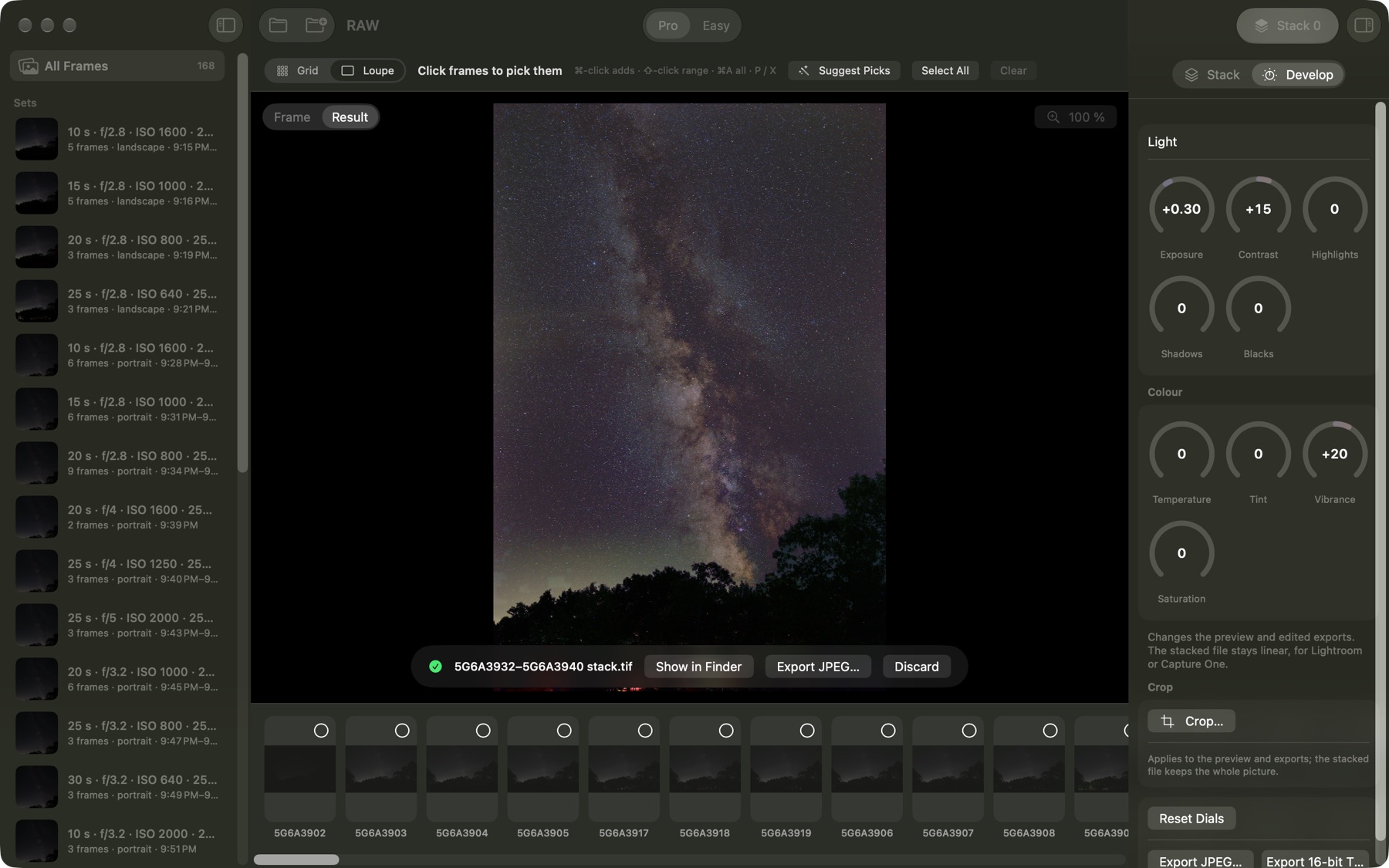
Open the night’s folder. Every frame is there, sorted into the sets you shot, with the best ones found for you.
- Pro mode
- Every frame in a grid. Click, ⌘-click and ⇧-click as in Finder; P and X to pick and drop; a large loupe with a filmstrip to check the stars.
- Easy mode
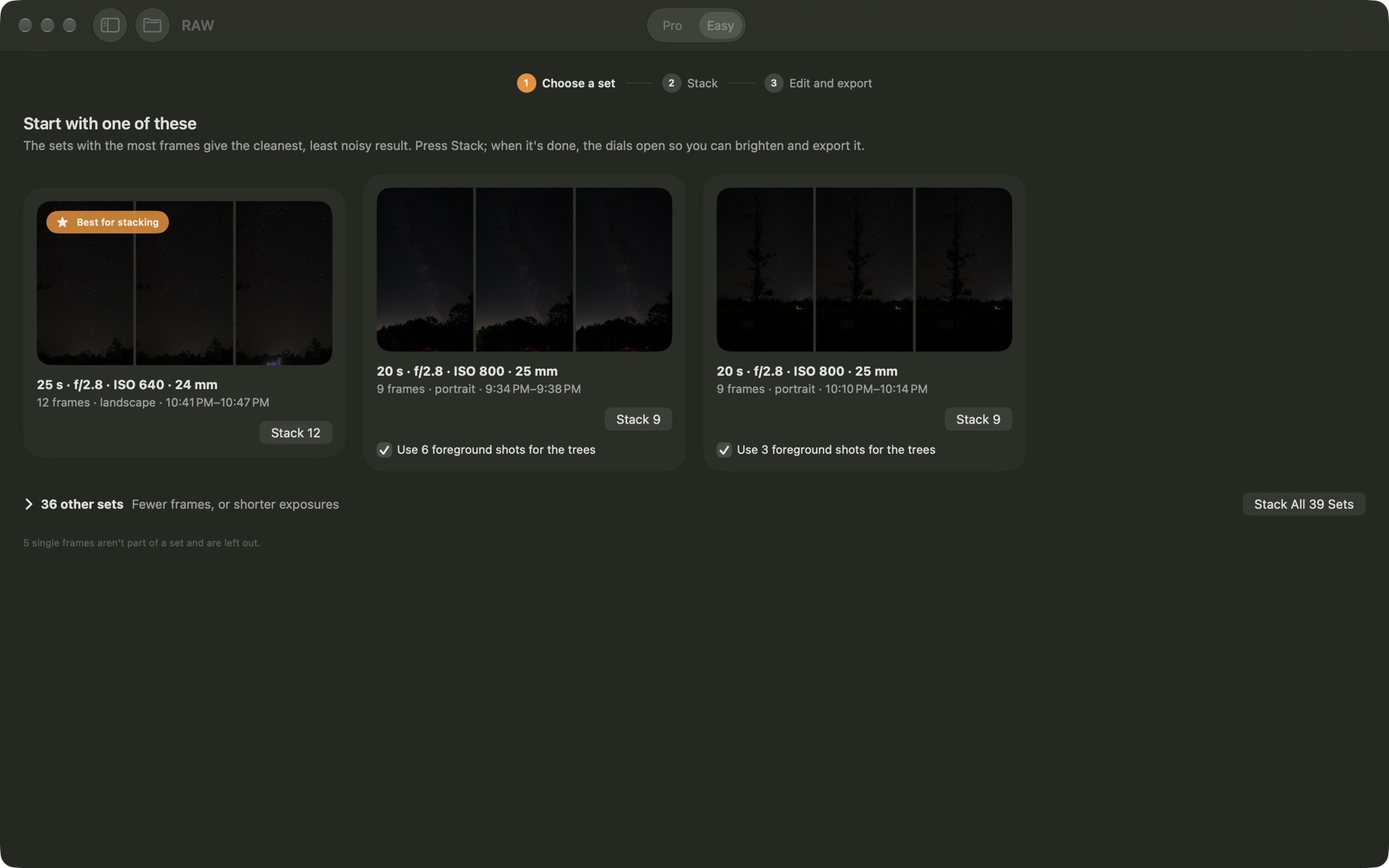
- The night sorted into sets by settings, time and scene. The best sets first, one button each: choose, stack, edit.
- Checked before stacking
- Every frame measured for stars, sharpness and trailing. The ones that would spoil the stack — a gust of wind, passing cloud, dew, car lights — are shown with the reason, and you decide.
- Dark frames found for you
- Lens-cap darks in the folder are recognised and used, without being picked.
Sky and ground
The stars aligned, the trees held still
The sky turns during a sequence; the land does not. The Stacker aligns one and freezes the other, and blends them along the treeline.
- Foreground series
- Shot a few frames focused on the trees or land, exposed for them? The ground comes from those, the sky from the star frames. The app finds them by time, lens and scene.
- No ghost trees
- Each frame’s trees are left out of the sky it gives, so branches never smear into the stars above the treeline.
- Treeline to the pixel
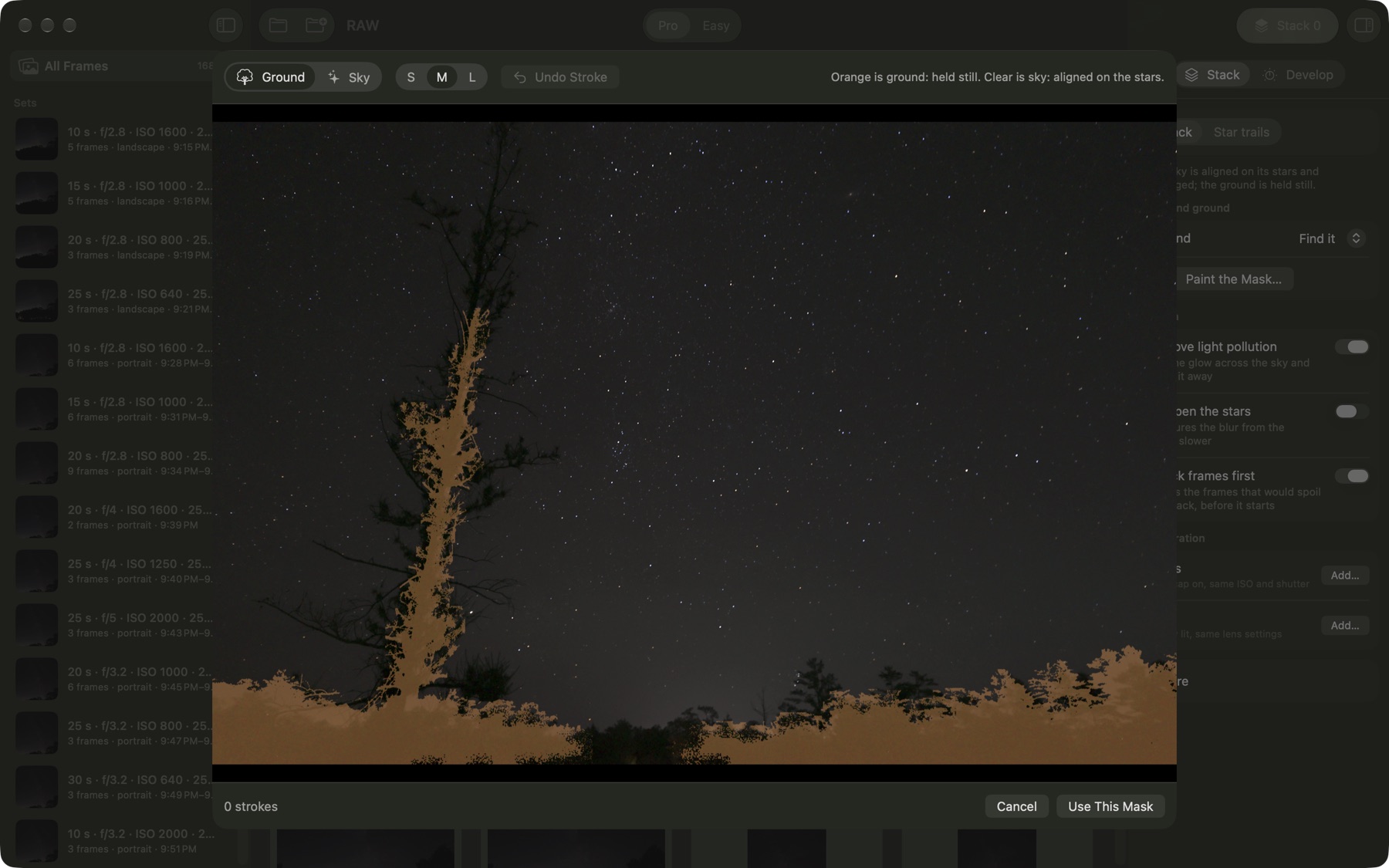
- The line between sky and ground is found automatically and follows the silhouette, branch by branch.
- Paint it yourself
- When you want it exact, paint sky or ground over the suggestion, and stack again.
Quality
A cleaner sky, not a processed one
Noise falls with every frame you add. Sixteen frames are about four times cleaner than one.
- Satellites and planes removed
- Anything that appears in only a few frames is rejected pixel by pixel.
- Light pollution
- The town glow across the sky is modelled and taken away, without greying the trees.
- Sharper stars
- Optional: the blur is measured from the stars in each part of the frame and undone, corners included.
- Camera color
- The stack opens in your camera’s own colors and white balance: measured for many popular cameras, close for the rest.
Finishing
Edit it here, or take it to Lightroom
The stack opens with develop dials. The stacked file itself stays untouched, linear and full of data.
- Develop dials
- Exposure, contrast, highlights, shadows, blacks, temperature, tint, vibrance and saturation, with a live preview and undo.
- Crop
- A frame to drag, with a suggested crop when the edges are thin.
- Export
- A JPEG to share, a 16-bit TIFF, or a linear DNG that Lightroom opens like a raw file.
- Star trails
- The same frames as a star-trail image, with the gaps between frames filled.
Learning
Better next time
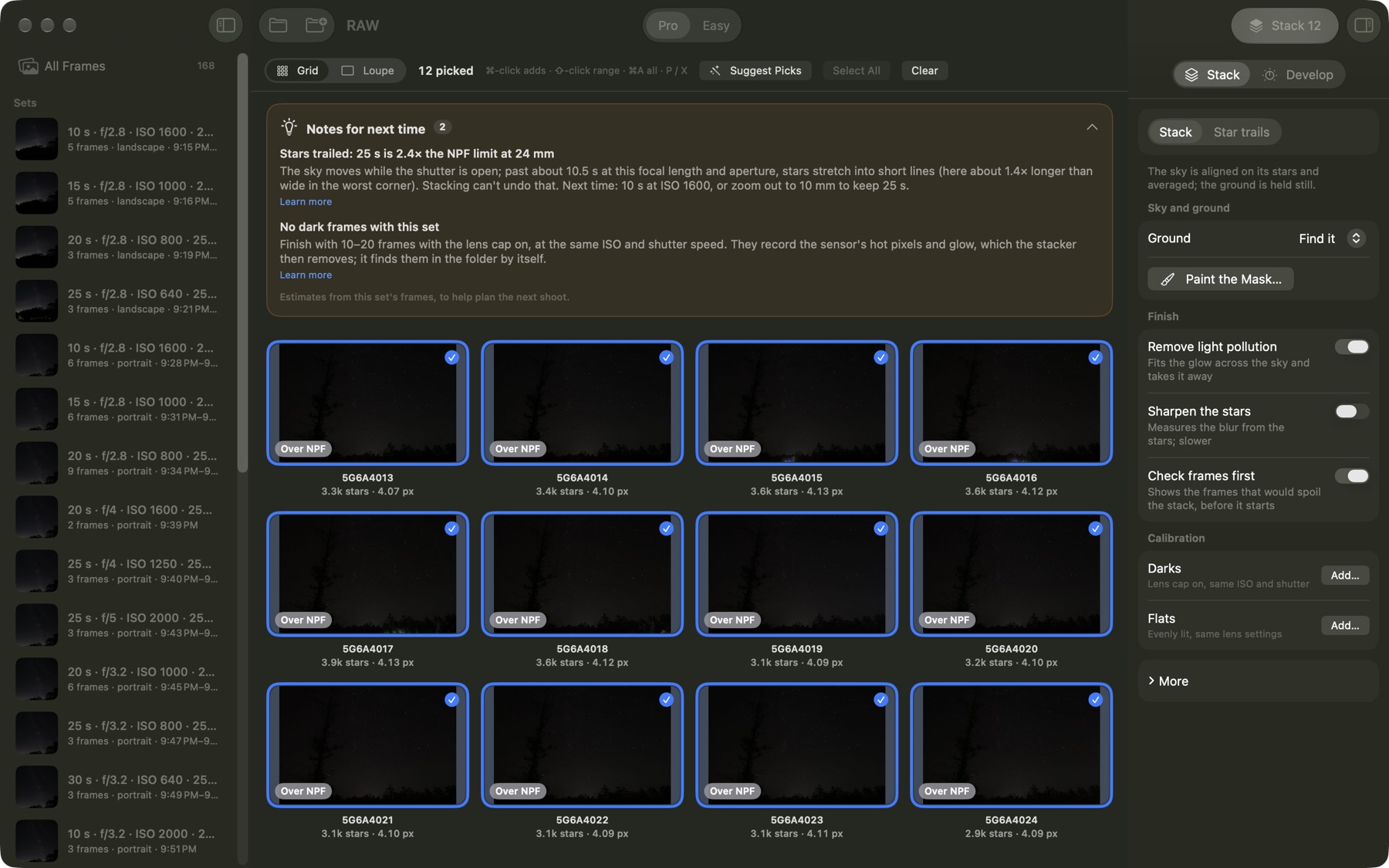
Every set tells you what to change in the field, worked out from your own frames.
- Notes for next time
- “Stars trailed: 25 s is 2.4× the NPF limit at 24 mm. Next time: 10 s at ISO 1600, or zoom out.”
- Stack report
- Every frame: stars, sharpness, how well it aligned, or why it was left out.
- Shot plans from your phone
- Plan the night in OwlPlot on your phone, send the plan to your computer, and see what you shot against what you planned.
- Help that teaches
- How to shoot a sky series, a foreground series and darks, and how to get the most from them.
In the field
Three series, one tripod position.
- 1 · The sky
- 10–20 frames, same settings, manual focus on a bright star, the shutter at or under the NPF limit (OwlPlot on your phone works it out).
- 2 · The foreground
- 3–10 frames focused on the trees or land and exposed for them — longer, or at a lower ISO, or in blue hour.
- 3 · Darks
- 10–15 frames with the lens cap on, same ISO and shutter as the sky.
- Then
- Keep the night in one folder and open it in the Stacker. It sorts the rest out.
The fine print
Your photos stay on your computer.
- No account, no uploads
- Stacking, checking and editing all run on your computer. Nothing is sent anywhere.
- No tracking
- No analytics. Feedback is an email you write and send yourself. The full privacy policy is at owlplot.com/stacker/privacy.
- Runs on
- macOS 26 or later, and Windows 10 (version 1809) or later on Intel, AMD or Arm.
- Cameras
- Built and tested with Canon EOS R6 Mark III raw files; TIFF, PNG and JPEG frames from any camera work too.